
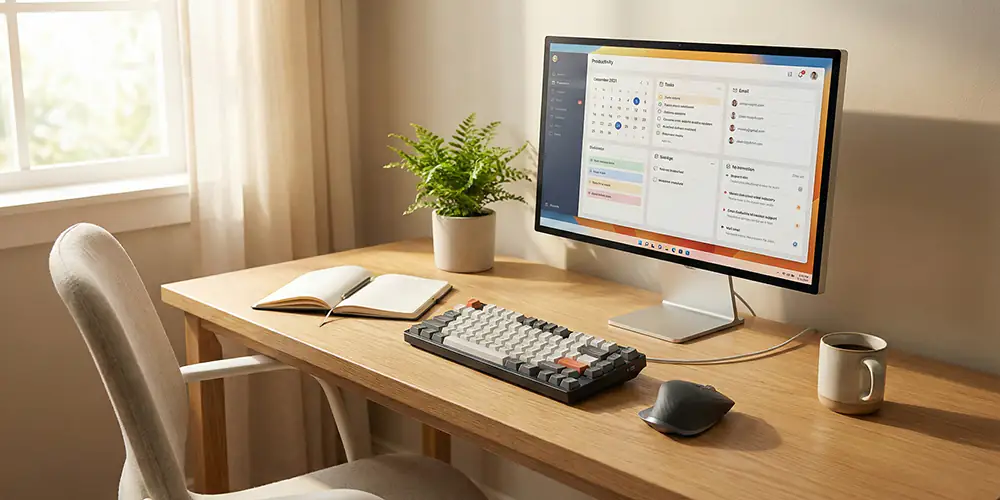
Working from home is now a normal part of life for many people. When you spend hours in front of your computer, the right keyboard and mouse setup can make a big difference to your comfort, productivity, and health. A good work-from-home keyboard and mouse setup should be comfortable, easy to use, and suited to your daily tasks. In this guide, we will look at what to consider when choosing the best keyboard and mouse for your home office.
A smart home office setup is not only about a good laptop or PC. Your keyboard and mouse are the tools you touch all day, so they can affect your posture, your speed, and even your mood. Choosing the best keyboard and mouse for working from home can help reduce pain, prevent strain, and make your workday smoother and more enjoyable.
Why Your Keyboard and Mouse Matter in a Home Office
When you work from home, you may sit in the same spot for long hours. If your keyboard and mouse are not comfortable, you might end up with wrist pain, shoulder tension, or finger fatigue. A proper keyboard and mouse setup helps you type and move your cursor with less effort and better accuracy.
A good setup can also improve your focus and productivity. When keys feel responsive and the mouse moves smoothly, you waste less time correcting mistakes or fighting with poor equipment. This is why many people search for the “best keyboard for working from home” or the “best mouse for home office use” when upgrading their workspace.
Choosing the Best Keyboard for Working from Home
When picking a keyboard for your home office, think about comfort, size, and typing feel.
Here are some key points to consider:
- Layout and size: A full-size keyboard comes with a number pad and is ideal if you work with numbers or spreadsheets. A compact or tenkeyless keyboard saves desk space and keeps your mouse closer, which can help reduce shoulder strain.
- Typing feel: Some people prefer soft, quiet keys, while others like more clicky or tactile feedback. Choose the typing feel that matches your preference so you can type for long periods without discomfort.
- Ergonomic design: An ergonomic keyboard can help keep your wrists in a more natural position. Curved layouts, wrist rests, and low-profile keys are useful features if you type a lot every day.
- Wired vs wireless: For working from home, a wireless keyboard can help keep your desk clean and flexible. A wired keyboard can be better if you want zero input lag and no battery worries.
Look for a keyboard that supports your work style. If you mainly type emails and documents, comfort is more important than extra features. If you work with multiple shortcuts, media keys and function keys can help speed up your workflow.
Choosing the Best Mouse for Working from Home
Your mouse is just as important as your keyboard. The best mouse for working from home should fit your hand, move smoothly, and support your daily tasks.
Consider these points when choosing a mouse:
- Shape and size: Pick a mouse that fits comfortably in your hand. A larger mouse can be more comfortable for long use, while a smaller mouse is great for portability and small desks.
- Ergonomics: An ergonomic mouse is designed to reduce strain on your wrist and forearm. This is a strong choice if you spend many hours moving the cursor.
- Wireless vs wired: A wireless mouse helps keep your desk neat and gives you more freedom of movement. A wired mouse is simple, reliable, and never needs charging.
- Buttons and features: Extra side buttons can help with shortcuts like back, forward, copy, and paste. A smooth scroll wheel is important if you read long documents or web pages.
If you work with design tools or spreadsheets, look for a mouse with good precision and smooth tracking. For casual office work, comfort and reliability are usually enough.
Setting Up Your Keyboard and Mouse for Comfort
Even the best keyboard and mouse for home office work will not help if they are placed in the wrong position. A proper setup can prevent pain and improve your posture.
Here are some simple setup tips:
- Place your keyboard at a height where your elbows are bent at about 90 degrees and your forearms are parallel to the floor.
- Keep the keyboard centered in front of you, so you are not twisting your body.
- Your mouse should be close to the keyboard, so you do not have to stretch your arm to reach it.
- Use a wrist rest if needed, but avoid pressing down too hard on it while typing.
- Take short breaks every hour to relax your hands and stretch your fingers, wrists, and shoulders.
A comfortable setup makes a big difference over weeks and months of working from home.
Wireless vs Wired for Home Office Use
Many people ask whether a wireless keyboard and mouse are better for working from home. Both options can work well, but each has its pros and cons.
- Wireless keyboard and mouse:
- Pros: Less cable clutter, cleaner desk, easier to move around, great for minimal setups.
- Cons: Need batteries or charging, can sometimes have slight delay or connection issues.
- Wired keyboard and mouse:
- Pros: Reliable connection, no batteries, often cheaper.
- Cons: More cables on your desk, less flexibility in positioning.
For most home office users, a wireless keyboard and mouse combo offers a balance of comfort and convenience. If you prefer a simple plug-and-play option, a wired set might be the best choice.